
- Retail
- Corporate
- SME
- International
- Private
- MauBank Group
- Corporate Social Responsibility
- Service Point Locator
- Financials
- News
- Careers
- Contact us
WHAT ARE YOU LOOKING FOR?

Types of Scams
Understand the different types of scams

Fraudulent SMS or WhatsApp messages
You receive a message asking you to click a link, update your details, open an attachment or make a payment. The message may look genuine but lead to a fake website designed to steal your information. These attempts are often called phishing.
Do not follow suspicious links or reply with personal information.

Impersonation and fake bank calls
Someone may call claiming to represent MauBank, another bank or a trusted organisation. They may say they are from a fraud or security team and need your OTP, password or a transfer to secure your account.
Do not click on suspicious links or provide any information.

Fake MauBank profiles and loan offers
Fraudsters may use MauBank’s name, logo or images to promote fake loans or direct you to unofficial WhatsApp numbers, social media accounts or websites.
Always verify the legitimacy of the offer through MauBank’s official channels such as our website, official social media accounts. In case of doubt, get in touch with our Contact Centre.

SIM-swap fraud
A fraudster may arrange for your mobile number to be transferred to another SIM card. This can allow them to receive your calls and SMS messages, including OTPs, which may then be used to access your accounts.
Contact your mobile service provider and the Bank immediately if you notice any unusual loss of mobile network service or suspect that your SIM has been compromised.

Remote-access scams
A fraudster may convince you to install an application or software on your phone or computer, often claiming that they need to help you solve a technical or banking problem. This may allow them to see your screen, access your information or even control your device.
Do not install software or share your screen at the request of an unsolicited caller. If you have already granted access, disconnect the device from the internet and contact MauBank immediately.

QR-code scams (“quishing”)
Fraudsters may use fake QR codes that direct you to a fraudulent website or payment page that looks genuine. You may then be asked to enter your banking or card details or unknowingly make a payment to a fraudster. Only scan QR codes from trusted sources and always check the website or payment details before proceeding.

Payment-redirection or invoice fraud
A fraudster may pretend to be a company, supplier or someone you normally pay and inform you that their bank details have changed. You may then be asked to make a genuine payment to a different bank account controlled by the fraudster. Always verify any change in bank account details directly with the recipient using a trusted contact number.

Investment and cryptocurrency scams
Fraudsters may promote fake investments, cryptocurrency opportunities or trading platforms, often promising quick or unusually high returns. They may pretend to be financial advisers and persuade you to transfer money or continue investing larger amounts. You may be pressured to invest quickly or pay additional fees to withdraw funds.
Be cautious of investment opportunities that promise guaranteed or unusually high returns.
Be cautious if you are pressured to invest quickly, send more money or pay additional fees to withdraw funds

Romance scams
Someone your meet online may build a relationship with you over time to gain your trust. They may eventually ask you for money, often claiming to need help with an emergency, travel expenses, medical costs or another personal situation. Never send money or share banking information with someone you have only met online.

AI and deepfake scams
Fraudsters may use Artificial Intelligence to create convincing voices, images or videos that imitate a relative, colleague or another trusted person. These may be used to make an urgent request for money or sensitive information appear genuine. If you receive an unusual or urgent request, verify it directly with the person through another trusted channel.

Money mule scams
Someone may ask you to receive money into your bank account and then transfer it to another account, sometimes presenting it as a job, commission, favour or business opportunity. The money may come from fraud or other illegal activities. Never allow anyone to use your bank account to receive or transfer money on their behalf.

Account-takeover scams
Fraudsters may use stolen passwords, phishing, SIM swaps or other methods to gain access to your banking, email or other online accounts. Once inside, they may change your details, make transactions or prevent you from accessing your account. Use strong passwords, protect your OTPs and contact the Bank immediately if you notice any unusual activity on your account.

Push-payment fraud
A fraudster may trick you into making a bank transfer yourself by convincing you that the payment is genuine or necessary. You may believe you are paying a trusted person, company or “safe account”, when the money is actually being sent to the fraudster. Always verify the recipient and payment details before authorising a transfer.
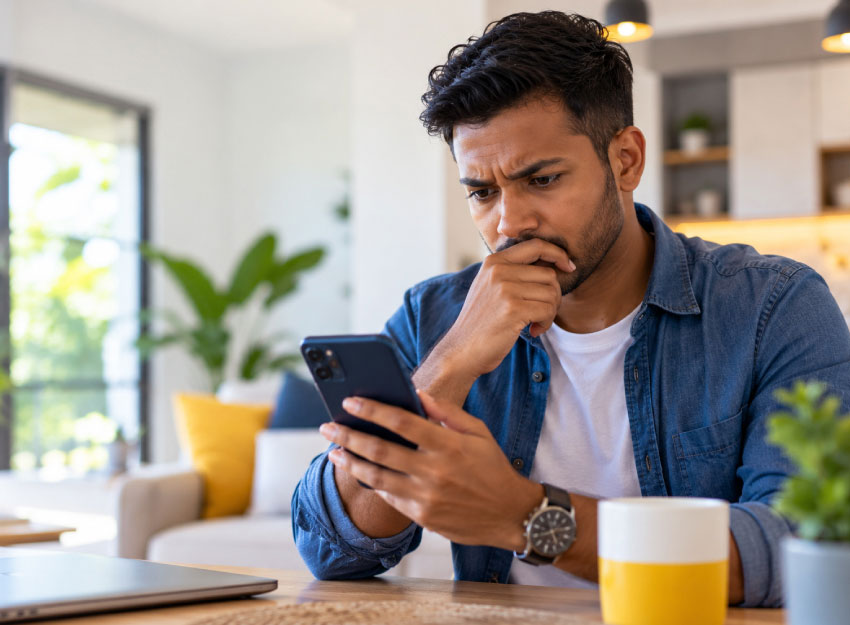

Recognise the warning signs
- Act urgently to prevent your account from being blocked.
- Share a password, PIN or OTP.
- Transfer money to a “safe account”.
- Install an app or give them access to your screen.
- Pay a fee to receive a prize, loan or investment return.
- Keep a transaction secret or ignore a security warning.
Fraudsters may contact you by phone, SMS, WhatsApp, email or social media. They may pose as your bank, a public institution, a business or someone you know.
Be cautious when someone asks you to:
Pause before you act. Check the request through a contact number or channel you already trust.

At MauBank, we believe in making your banking experience a safe and enjoyable one.
We continuously strive to educate our customers on the best practices to adopt when performing their day-to-day banking activities. Safeguarding the money of our clients is our priority. Yet, we require your collaboration to ensure that risks of financial frauds are minimised.
- Savings Account
- Online Purchases
- Mobile Banking
- Internet Banking
- Never lend your debit/credit card or disclose your Personal Identification Number (PIN) to anyone, not even to bank employees. MauBank will never contact you asking for your PIN.
- Do not write your PIN on your card, or keep it together with your card.
- Memorize your PIN upon receipt and destroy the physical PIN mailer immediately.
- Please choose a strong unique PIN. Do not use repeating numbers, simple sequences or personal dates like your birth year
- Change your PIN on a regular basis on any MauBank ATM.
- Never allow merchant staff to take your card out of your sight during POS transactions. Watch the terminal during chip insertion or contactless tap to prevent card cloning or unauthorized photo captures of card numbers.
- Keep online and international transactions toggled off in the MauBank WithMe app, and turn them ON only when making a transaction.
- Report a lost or stolen card immediately to the bank on 4040330 or on MauBank WithMe to stop the card.
- Before clicking a link received by email or text message, check the website address carefully. Do not assume a website is safe just because it starts with “https” — fraudulent websites can also use HTTPS. - Think Before You Click!
- Never save your password to your web browser while making online transactions.
- Use your MauBank card securely on websites which are certified Verified by Visa (VBV). Such websites will ask for a One -Time - Password.
- Do not disclose your One -Time - Password (OTP) to anyone, not even to bank employees or family members.
- Avoid using free, open or unsecured Wi-Fi networks to perform online purchases.
- If you must connect in public, use cellular data or a trusted Virtual Private Network (VPN)
- Do not leave your mobile device unattended when logged to a Mobile Banking App, and keep screen timeouts set to a short interval.
- Always log out of a banking app once you complete your transaction rather than simply minimizing or swiping the app away
- Avoid storing sensitive information such as Credit Card details, Mobile Banking passwords and User ID, mpin on your phone.
- Never share your Mobile PIN (mPIN) or OTP generated by SMS with anyone.
- Keep your Phone’s Bluetooth off when you are not using it. Leaving the Bluetooth on makes your phone vulnerable to mobile security threats that may compromise the information on your mobile banking app.
- Always protect your mobile phone with a password protected screen lock.
- Only install mobile banking application directly from the official Google Play Store or Apple App Store.
- Never install mobile banking application via direct link downloads or third-party APK files.
- Verify the recipient and source before scanning QR codes to authorize payments or complete sign-ins.
- Report a lost or stolen mobile phone immediately to the bank on 4040330 to block access to MauBank WithMe from your device.
- Create strong alphanumerical passwords, i.e with a minimum of 12 characters, comprising of upper- & lower-case alphabets, numbers and special characters.
- Make it a habit of changing your password frequently.
- Log out of your Internet Banking session and close your browser once you have completed your transaction to terminate your active server session.Never change personal security details such as your password in a public place like a Cybercafé or shared Internet spaces.
- Never enable ‘Remember My Password’ or ‘Auto-Complete’ in your web browser for Internet Banking. Always enter your credentials manually and log out fully when finished.
- Always type the official banking URL directly into your browser or use a verified browser bookmark.
- Never access Internet Banking from a link in an e-mail or from redirections from other websites.
- Do not leave your Computer, Smartphone or Tablet unattended or unlock when you are connected to Internet Banking or making any kind of online transaction.
- Protect your computer by installing an effective anti-virus /anti-spyware software and update it regularly.
- Never provide sensitive information such as passwords, PIN, OTP and card number through e-mail, SMS or messaging apps. The bank will never request for verification and validation of such personal details by phone, email, SMS or messaging apps.
To keep your accounts and money safe, we strongly advise you to:
- Register to MauBank SMS Alert Service. Our alert system notifies you of all transactions above Rs 1,000 taking place on your account in real time. Your attention will thus be triggered in case of a transaction not induced by you is happening.
- If you see any discrepancy on your account or on your statement of account, call the bank immediately on 4040330.
- If ever you have disclosed your password or PIN to a third party, please call us immediately on 4040330 to stop the card or block the card temporarily on MauBank WithMe app until you change your PIN at any MauBank ATM.
- Inform the bank of any change in your Name/Address/Contact number/Email/Phone Number.
- Verify your bank statement regularly to monitor your account activity. Notify the bank immediately of any irregularity.
- Beware of phone calls, emails or messages informing you that you have won a lottery, prize or loan offer. MauBank will never ask for your banking details such as account number/NIC number or even card number for money transfer via phone, email, or social media.
- Never share your bank details with anyone.
- To monitor your account closely, download our application MauBank WithMe and have access to your balance and statements anytime, anywhere.
- Create strong passwords to keep your bank accounts secure and ensure you use a strong password with a minimum of 12 characters (a combination of letters, numbers and symbols). Avoid using the same password across multiple websites or apps.
